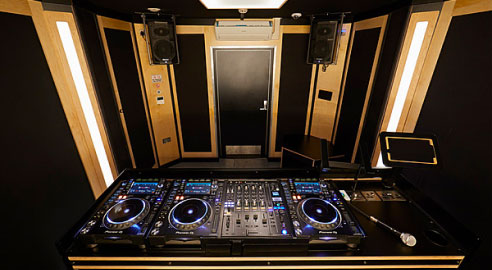
DJ Studio Types *
* Some studios may have different but equivalent equipment
Yes. You can book DJ studios in Dalston and Hackney online at short notice, 24/7, subject to availability. If a time slot shows as available, you can reserve it and get your access code immediately.
All East London DJ rooms include professional decks, a mixer and monitors set up and ready to go. Exact models may vary by room, but every studio is designed so you can walk in, plug in and start mixing without extra setup.
DJ Standard rooms are perfect for everyday practice, learning to mix and warming up for gigs. DJ Pro rooms offer an upgraded layout and monitoring, with extra space and a more dialled-in feel for recording mixes, playing back-to-back or preparing for bigger sets.
If you’re not sure which is right for you, start with DJ Standard, you can always step up to DJ Pro once you’re comfortable.
Yes. You’ll need to bring your own headphones and any essentials you want to use during your session, such as a 1/4" adaptor, USBs with your music, USB A–B cables or a USB hub if you’re using your own controller or laptop, and an XLR microphone if you plan to MC. All decks, the mixer and speakers are already set up in the room, so you can plug in and start mixing straight away.
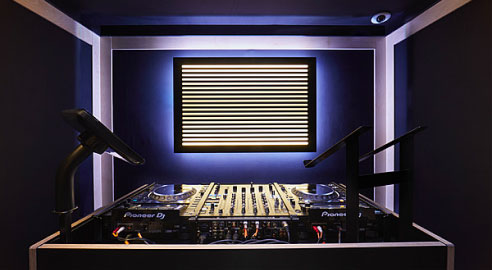
Absolutely. Many people book their first-ever DJ session in Dalston or Hackney. As long as you're comfortable loading tracks and pressing play, you'll be fine, and you can always book quieter off-peak times while you get used to the setup.
First-time visitors should bring their own headphones and a USB with their music, plus any cables they plan to use. If you're new to DJing, Pirate’s beginner guides and lessons are a great way to get started, and you can also drop into our Dalston open-decks night to get a feel for the gear and meet other new DJs.
Yes, you can. While our DJ rooms don’t have built-in live-streaming tools, you’re welcome to stream your set using your own phone or laptop. For DJs who want an easier way to capture high-quality audio and video, the CAPTURE App is a great option. It records your mix with pro-quality sound, synced to your phone and ready to share or use for live-stream setups. Check out our guide on how to livestream a DJ set to get started.